What this article says in 30 seconds
- Most virtual staging objections can be answered by preserving the real property and disclosing edits
- Agents should use virtual staging to clarify room potential not to hide condition
- Realistic outputs and original photos help protect buyer trust
Use DesignSense for this workflow when you need to:
- Agents explaining virtual staging to sellers
- Listing teams building disclosure-aware workflows
- Brokerages setting practical photo standards
Most objections to virtual staging come down to one question: will the image help buyers understand the property, or will it make them feel misled?
That is a fair concern. Virtual staging can be useful when it adds furniture and context to an honest listing photo. It becomes risky when it changes the property, hides condition, or is published without clear disclosure where disclosure is required. For the broader workflow, read MLS rules and disclosure for virtual staging.
The short answer
The most common objections to virtual staging are:
- It looks fake
- Buyers will feel misled
- MLS rules may not allow it
- It hides the property's true condition
- It cannot replace physical staging
- The furniture may not match the room
- Sellers may expect the image to change buyer behavior by itself
The best answer is a disciplined workflow: preserve the real property, stage selectively, disclose where required, and keep original photos available.
Objection 1: It looks fake
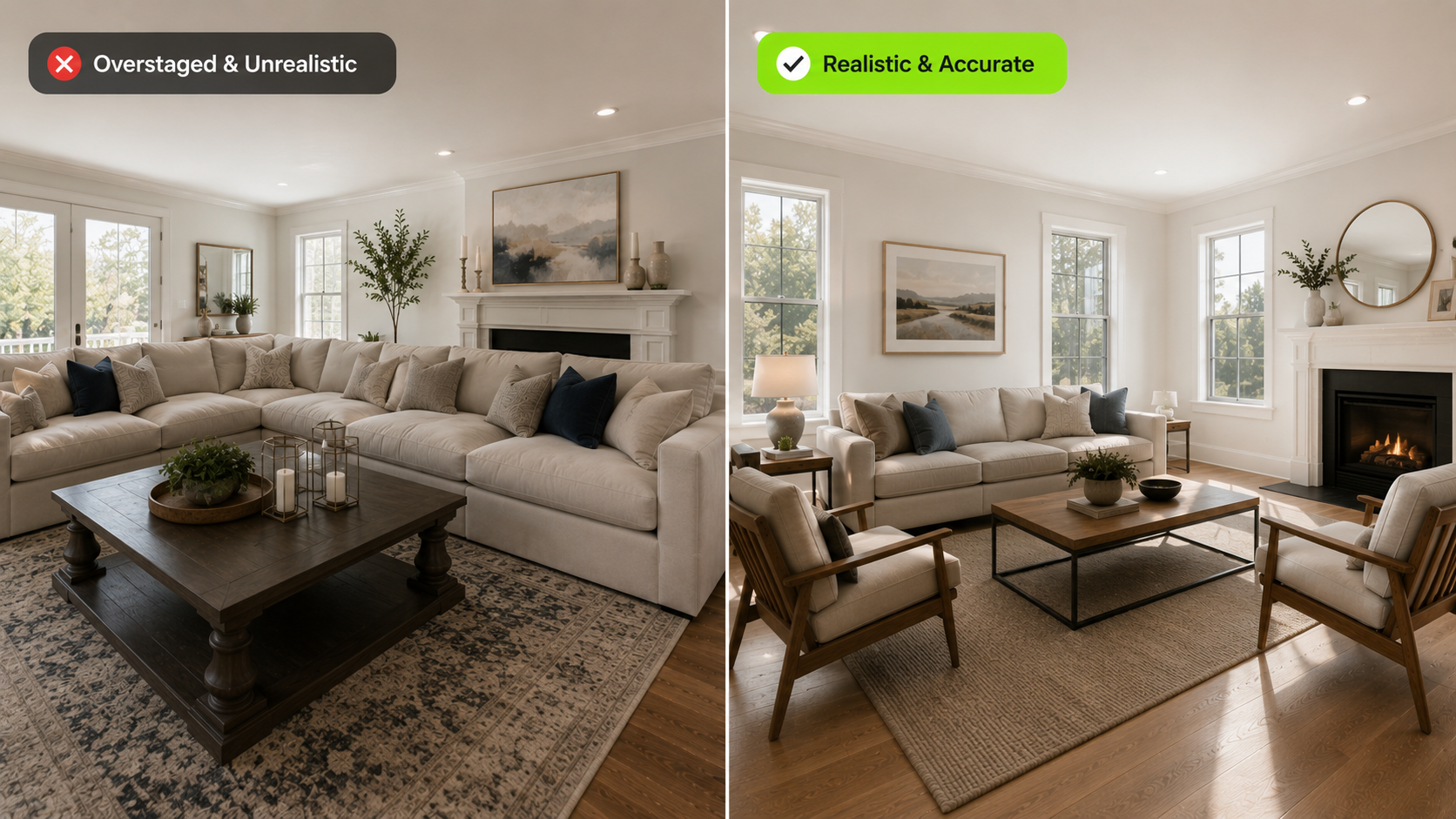
This objection is valid when the staging does not match the room. Oversized furniture, strange lighting, mismatched shadows, or unrealistic decor can make a listing feel less credible. How to answer it:
- Use furniture that fits the room scale
- Match the style to the property
- Avoid dramatic fantasy looks
- Keep lighting and perspective believable
- Reject outputs that distort the room
For more detail, see how to get realistic AI virtual staging results.
Objection 2: Buyers will feel misled
Buyers feel misled when the staged image promises something the actual property does not support. The issue is not furniture alone. The issue is changing reality. Avoid changing:
- Room size
- Windows
- Doors
- Flooring condition
- Views
- Built-ins
- Fixtures
- Damage or deferred maintenance
Virtual staging should help buyers understand the room, not hide what they will see at the showing.
Objection 3: MLS rules might not allow it
Rules vary by MLS, brokerage, state, listing platform, and property type. Some require labels, remarks, original images, or restrictions on what can be altered. How to answer it:
- Confirm the local MLS policy before publishing
- Keep the original photo
- Label virtually staged images when required
- Do not remove or alter property defects
- Follow brokerage review processes
If the rule is unclear, treat the image more conservatively.
Objection 4: It hides the true condition
Virtual staging should not cover stains, cracks, damaged flooring, missing fixtures, or deferred maintenance. That turns a marketing tool into a trust problem. The better approach is to stage only what furniture would reasonably add:
- Sofa
- Bed
- Table
- Chairs
- Rug
- Lamps
- Decor
If an issue would still matter to a buyer in person, do not use virtual staging to conceal it.
Objection 5: It does not replace physical staging
This is true in many cases. Virtual staging affects listing images. Physical staging affects the in-person showing experience.
How to answer it:
- Use virtual staging when listing-photo clarity is the main need
- Use physical staging when the in-person experience needs support
- Use both when a high-value listing deserves a stronger presentation plan
- Be clear with sellers about what each option can and cannot do
Turn one room photo into a clearer next step.
Upload a room photo, test one or two believable directions, and get to a publishable listing visual faster.
For a broader comparison, see virtual staging vs traditional staging.
Objection 6: It will not help if the listing has bigger problems
Virtual staging cannot fix pricing, location, deferred maintenance, poor photography, or weak listing strategy. It is one piece of the presentation system. How to answer it:
- Use virtual staging for rooms where visual context matters
- Pair it with strong photo preparation
- Keep pricing and property condition separate from staging claims
- Review whether the staged image answers a buyer question
If the room does not need visual clarification, virtual staging may not be the best next move.
Where DesignSense fits
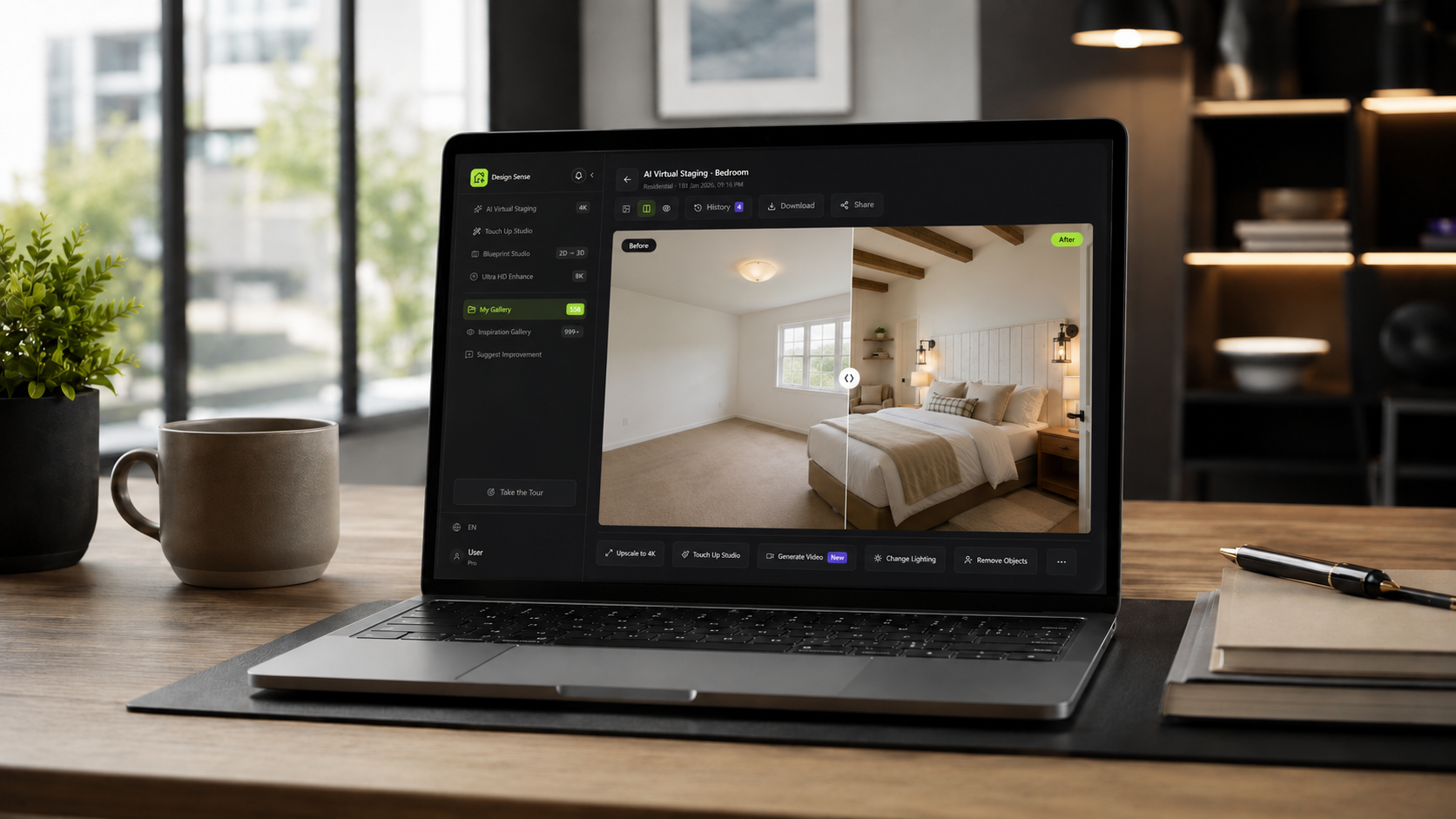
DesignSense helps agents and listing teams create practical virtual staging concepts from real property photos. A cautious workflow looks like this:
- Start with a clear listing photo.
- Choose the room that needs visual context.
- Generate a realistic staged direction.
- Compare the output with the original room.
- Reject any version that changes property facts.
- Keep the original photo for review.
- Add disclosure according to local rules.
If your source photos need cleanup before staging, read how to prepare listing photos for AI virtual staging.
How to explain virtual staging to sellers
Use plain language:
- The image shows possible furniture and decor.
- The room structure should remain accurate.
- The original condition is not being hidden.
- Disclosure rules will be followed.
- The goal is to help buyers understand scale and use.
Avoid promising that virtual staging alone will change the outcome of the sale. It improves presentation, but it does not replace pricing, preparation, photography, and market fit.
FAQ
Is virtual staging deceptive?
Virtual staging is not inherently deceptive. It becomes deceptive when it hides defects, changes property facts, or is used without required disclosure.
Should agents show original photos too?
Often, keeping original photos available is a good trust practice. Some rules may require original images or clear labels.
What makes virtual staging look realistic?
Realistic virtual staging respects scale, perspective, lighting, room layout, and property style.
Can virtual staging hurt a listing?
Yes, if it looks fake, misrepresents the property, or creates buyer distrust. Careful review matters.
Final recommendation
Answer virtual staging objections with process, not hype. Preserve the property, stage only what helps buyers understand the room, and disclose where required.
When you need a realistic staging option, create virtual staging in DesignSense and review the result against the original photo before publishing.
Turn one room photo into a clearer next step.
Use the free trial to turn one room photo into a staging direction that is easier to review, approve, and publish.