Design Sense
  • Features
    AI Room RedesignVirtual StagingExterior DesignSketch to RenderFloor Plan RenderRemove FurnitureUpscaleAI Video Walkthrough
  • Solutions
    For Real Estate AgentsFor HomeownersFor Interior DesignersFor Contractors
  • Showcase
    Airbnb Interior DesignGaming Room DesignGarden Outdoor Makeover
  • Pricing
  • Refer & Earn
  • Blogs
Log inStart Free
Design Sense
Log inStart Free
  • AI Room RedesignVirtual StagingExterior DesignSketch to RenderFloor Plan RenderRemove FurnitureUpscaleAI Video Walkthrough
  • For Real Estate AgentsFor HomeownersFor Interior DesignersFor Contractors
  • Airbnb Interior DesignGaming Room DesignGarden Outdoor Makeover
  • Pricing
  • Refer & Earn
  • Blogs
Start FreeLog in

To delete your account in the Design Sense application you need to:


1. On the main screen, go to “Setting”, the button is located in the lower right corner of the screen.
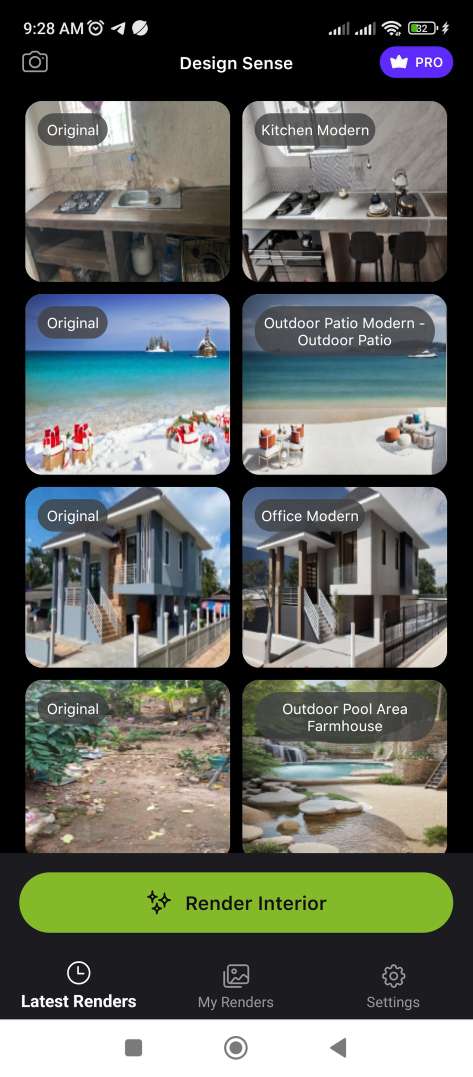

Delete account step one

2. On the “Setting” screen, select “Delete Account”. (If the “Delete Account” button is not visible on the screen. You need to scroll to the very bottom of the screen.)
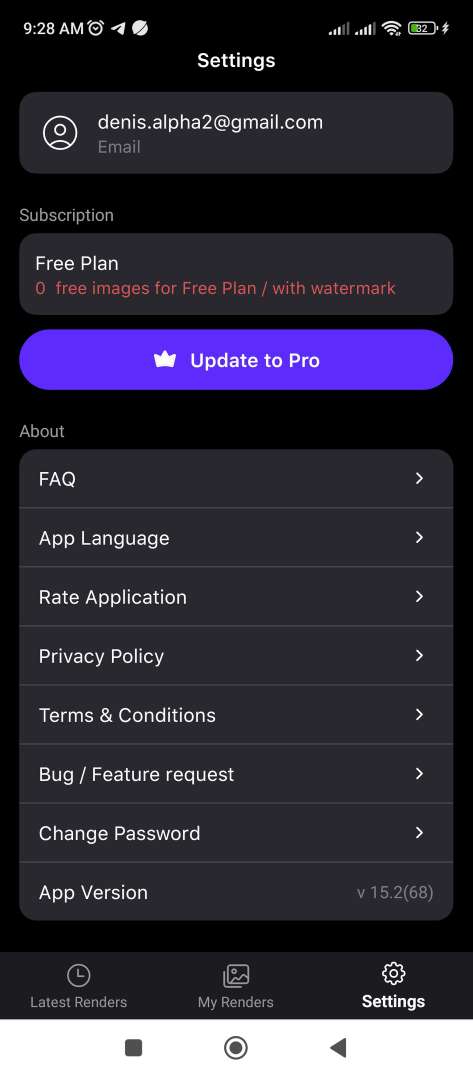
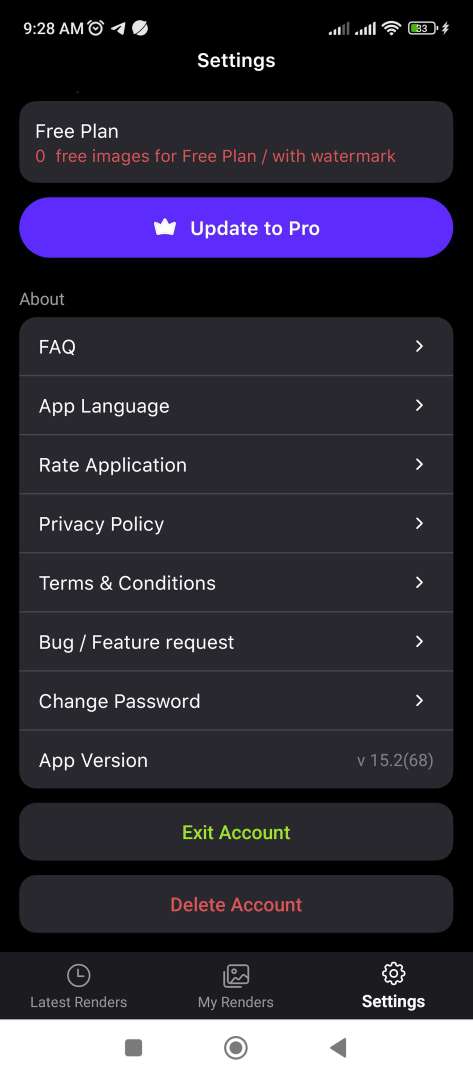
Delete account step twoDelete account step three

After which your account data (name, email, password, and all files will be deleted) will be completely deleted.

Copyright © 2026 Design Sense All rights reserved.

Download our apps:

Download on the App StoreGet it on Google Play
  • Terms of use
  • Privacy policy
  • Blog