

To delete your account in the Design Sense application you need to:
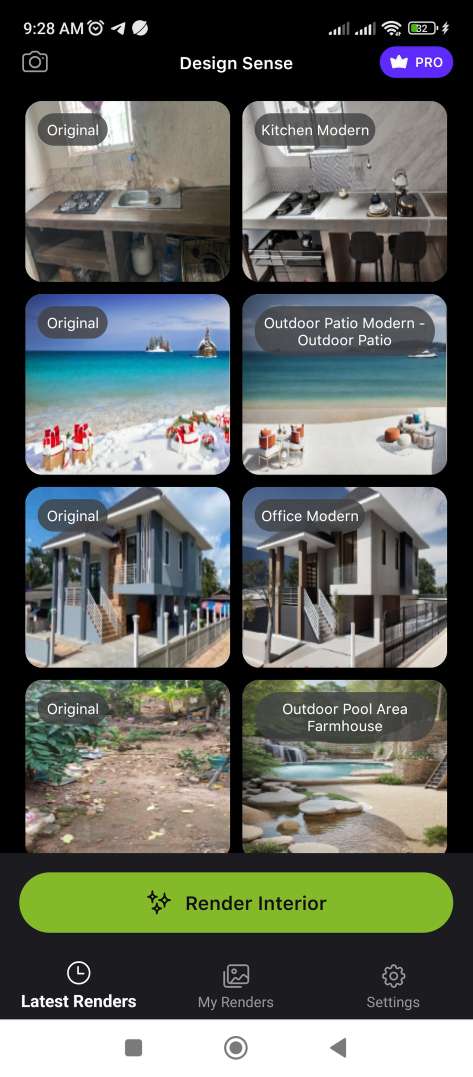
1. On the main screen, go to “Setting”, the button is located in the lower right corner of the screen.
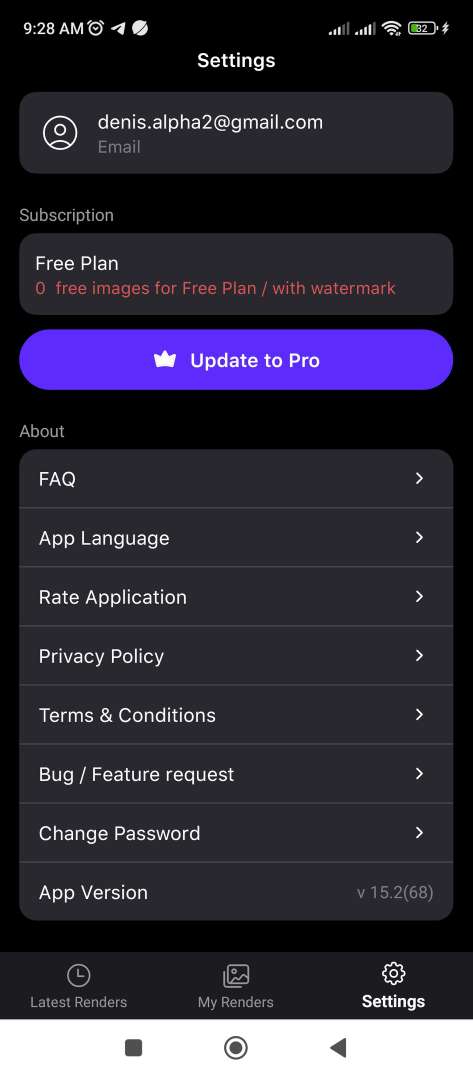
2. On the “Setting” screen, select “Delete Account”. (If the “Delete Account” button is not visible on the screen. You need to scroll to the very bottom of the screen.)
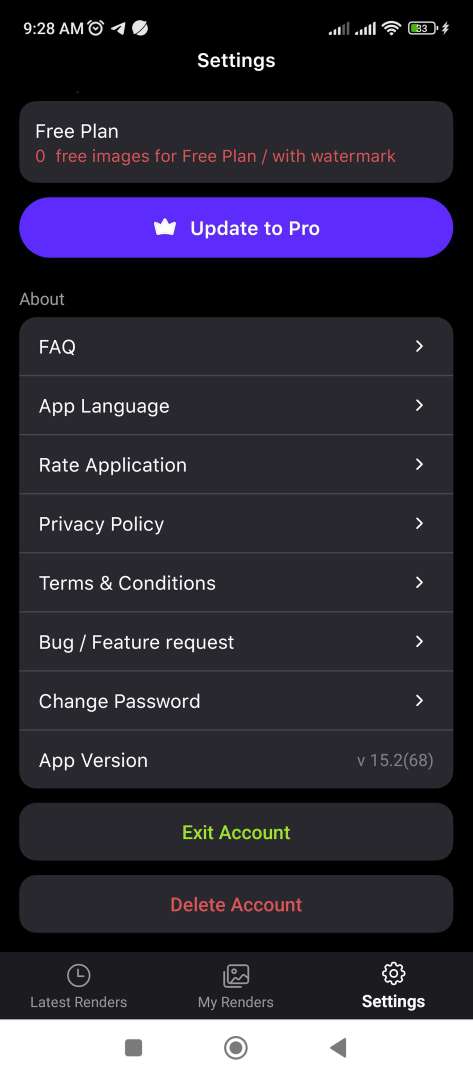
After which your account data (name, email, password, and all files will be deleted) will be completely deleted.